Greetings.
I consistently receive an ID:001 TIME OUT error whenever I attempt to change the Goal Position from the Present Position on my XL330-M288-T servo. The only workaround is to toggle the Torque on every time before changing the Goal Position.
Important: This issue occurs only with the XL330-M288-T. I tested the same exact configurations/settings with an XL330-M077-T servo, and everything worked smoothly without any errors.
Steps to Reproduce:
- Connect XL330-M288-T to U2D2
- Open DYNAMIXEL Wizard 2.0
- Attempt to change Goal Position from Present Position
- Error appears: ID:001 TIME OUT
Testing/Troubleshooting Performed:
- Tested one servo at a time
- Horn was free from any load
- Adjusted latency settings as suggested in the e-manual
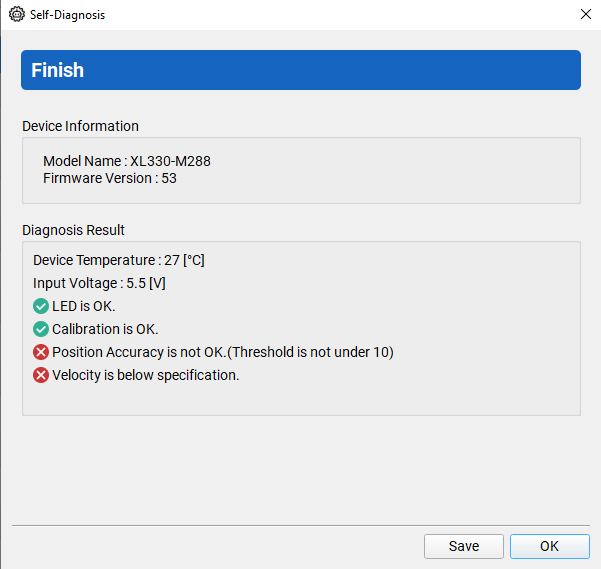
- Ran Self-Diagnosis on XL330-M288-T
Power Supply: 5V 2A input to U2D2 PHB
Operating System: Windows
Questions:
Why does this timeout error occur only on the XL330-M288-T? How can I resolve this issue without having to toggle the Torque every time?
Any help is greatly appreciated.
DYNAMIXEL Servo:
XL330-M288-T (Firmware v53), XL330-M077-T (Firmware v53)
DYNAMIXEL Controller:
U2D2 with U2D2 PHB
Software Interface:
DYNAMIXEL Wizard 2.0
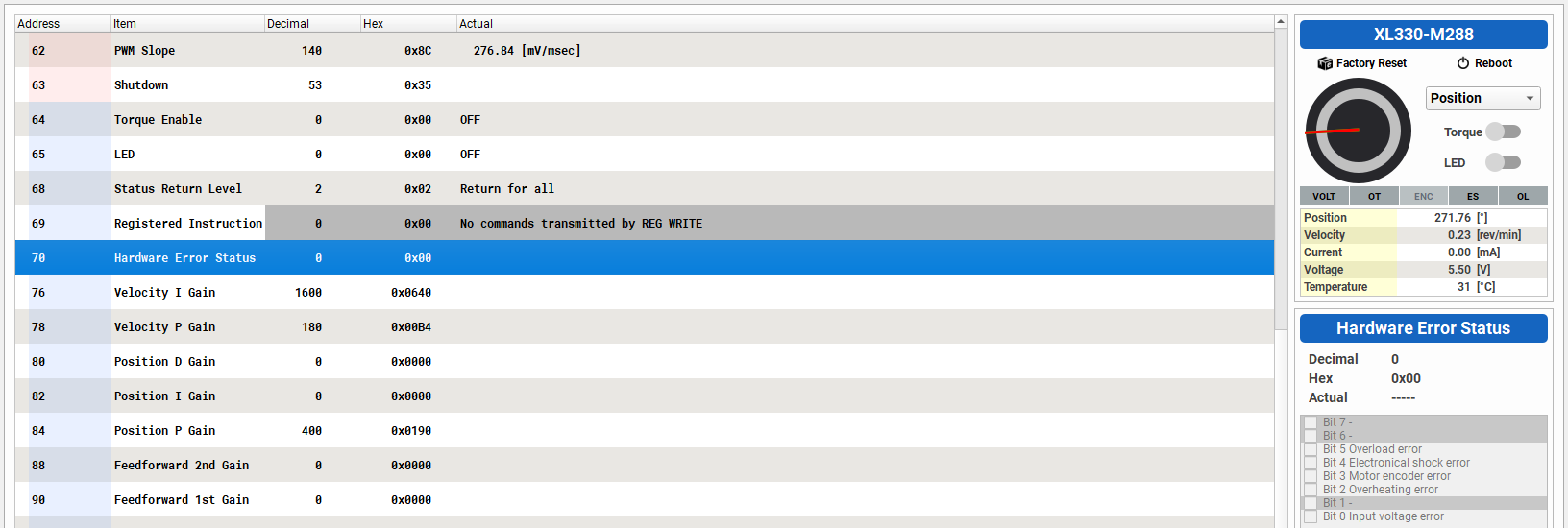
Unfortunately, as a new user, I cannot upload images. However, I have screenshots of the XL330-M288-T showing Self Diagnosis Result, Present Current, Present Input Voltage, and Hardware Error Status (70).
Have you tried to Recover its Firmware via Dynamixel Wizard tool?
Thank you for the reply. Yes, I did.
I’ve attached further information along with screenshots for your reference.
XL330-M288-T _ Self Diagnose Result
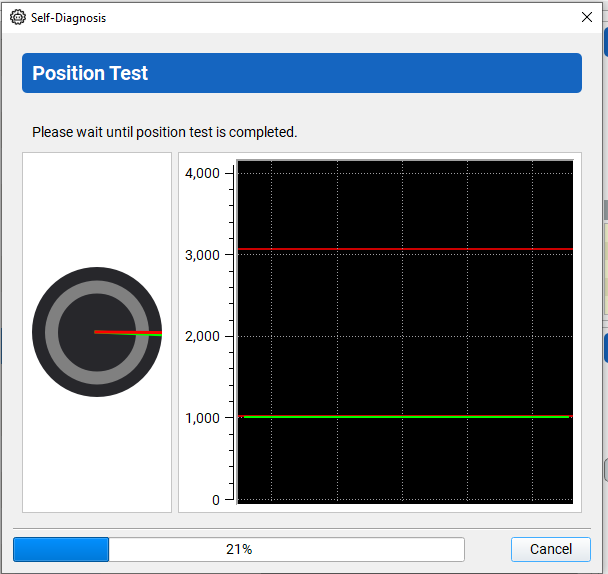
XL330-M288-T _ Position Test (Self Diagnose) - I noticed the DYNAMIXEL servo only turned once, then no action after that, but the Self Diagnostic process still continued until the end, and it achieved max velocity during the test (the test after Position Test).
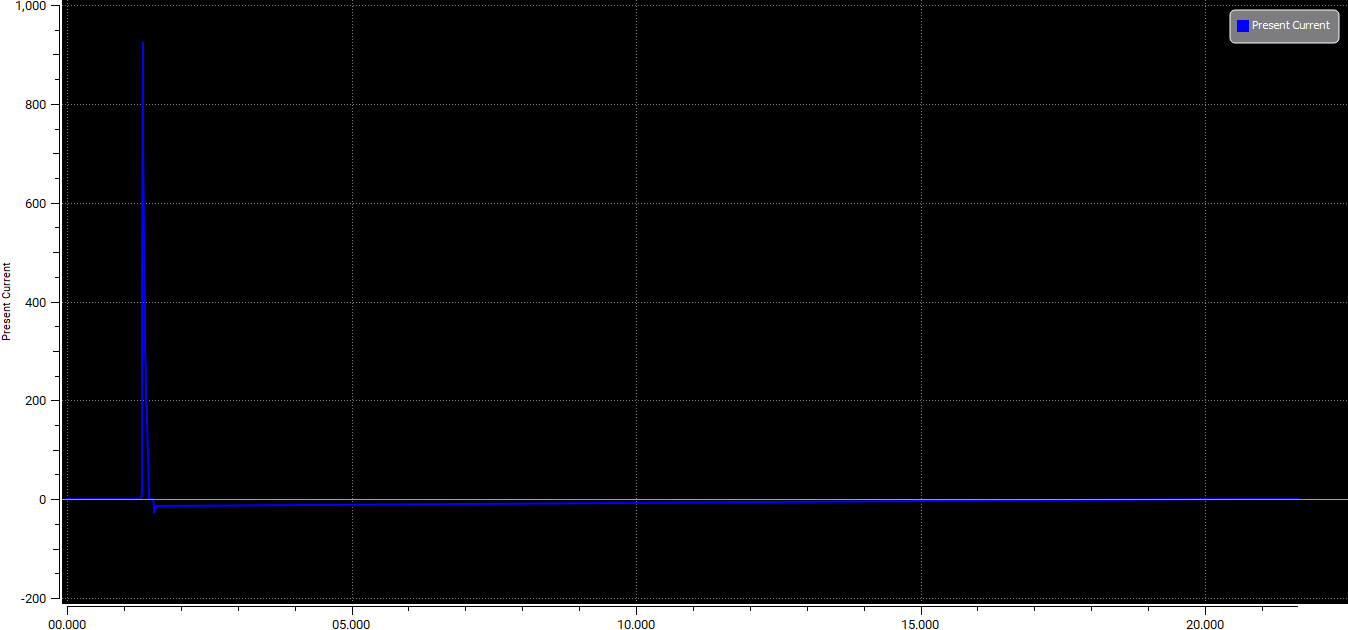
XL330-M288-T _ Present Current
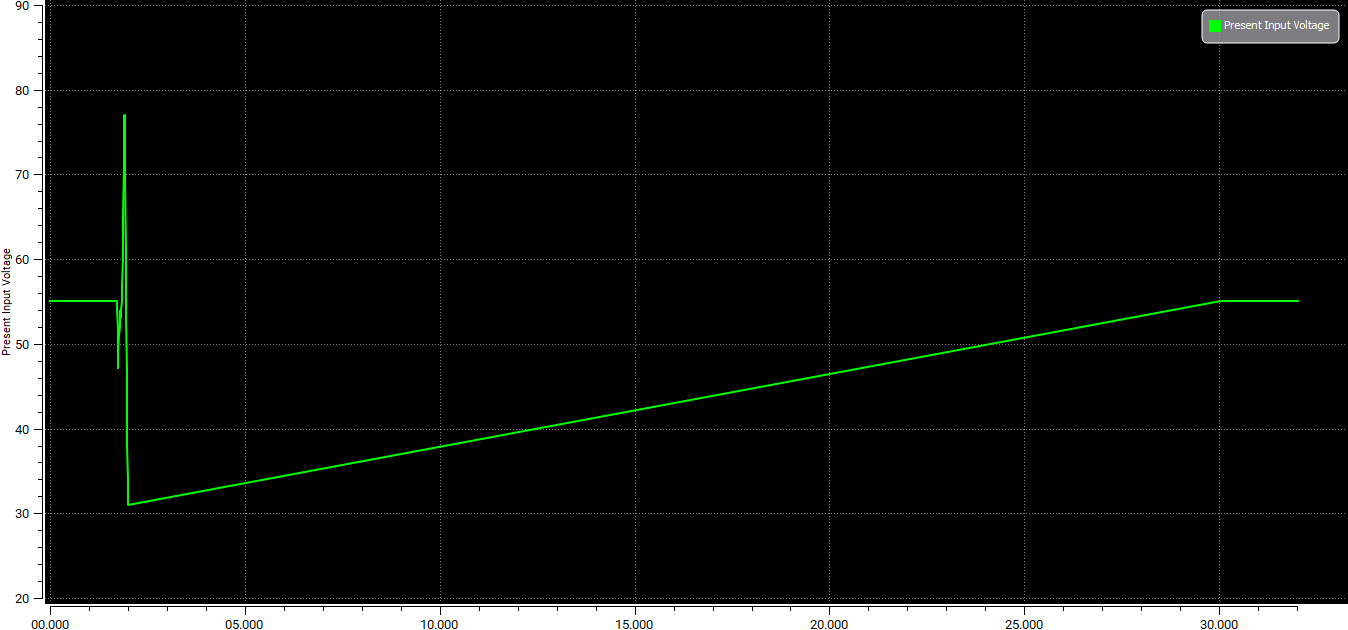
XL330-M288-T _ Present Input Voltage
XL330-M288-T _ Hardware Error Status (70) - There is no hardware error, so hopefully mine is not a faulty DYNAMIXEL servo. Fingers crossed.
Recently I also had some weird errors with XL-330 and Firmware V.53. Not the same error as you had. I had to do Firmware Recovery 2 times before it got back to normal. Please try to do Firmware Recovery again and see. The Time-out error can be a temporary communication issue, but did the servo go to the Goal Position that you set it to?
Thanks for the suggestion @roboteer, I appreciate it. I have actually done Firmware Recovery several times already, but the timeout errors persist. The servo does go to the Goal Position correctly though. I appreciate you sharing your experience.
Probable Root Cause: Insufficient Power Supply
When the servo moves, increased current draw causes voltage to drop below operating threshold, triggering an automatic reboot and timeout error.
Quick Diagnostic
Check for power-related reboot:
Test your power supply:
-
Switch to Current Control Mode
-
Gradually increase Goal Current value
-
If voltage drops and the servo reboots, your power supply is insufficient
Credit: Woojin Wie
1 Like
Great sharing! Curious about the current rating on your power supply. How much was the rated amperage?